

Quick Answer
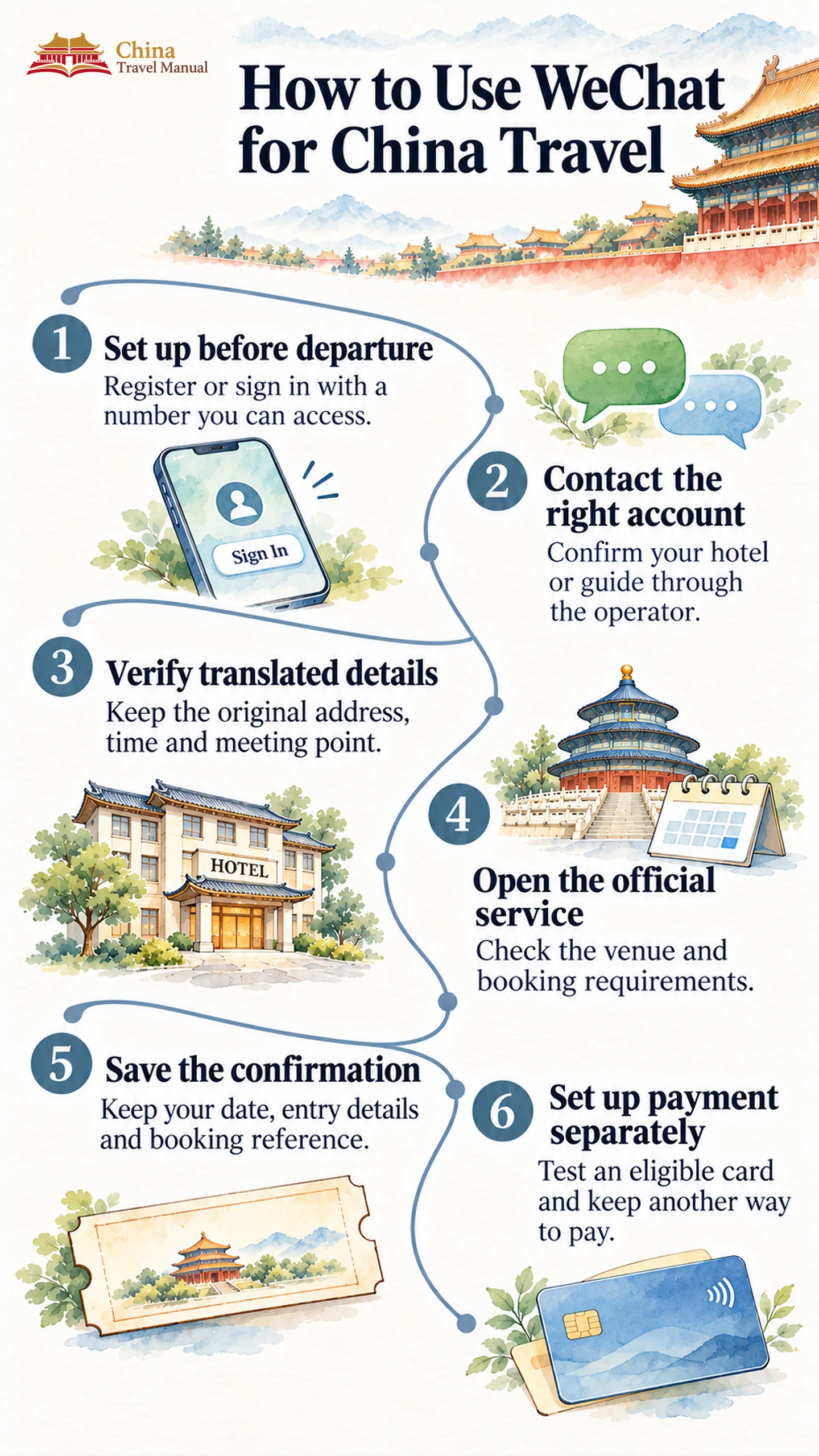
Set up WeChat before flying to China. An overseas phone number can be used for registration, subject to the verification shown by the app. Test messaging first. A museum’s booking mini program and WeChat Pay can ask for their own verification or other details even after your account is working.[1][2][3][4]
- Messages. Add the official contact for your hotel or guide and test a chat.
- Bookings. Open the official mini program for any visit that depends on it and check what documents or phone number it accepts.
- Payments. Link an eligible card only if you plan to use the wallet. Keep another way to pay.[5]
Keep your first hotel’s Chinese address and reservation available outside the app.
A hotel can send a pickup point in a chat, an attraction can take reservations inside a mini program, and a shop can ask for a payment code. Each of those can start with a QR code. Check what the code opens before you enter information or authorize a payment.
How to Set Up WeChat Before Your Trip
- Install the official app. Open your phone’s app store and select the official WeChat listing. Update the app if you already use it.[1][2]
- Register or sign in. Use your existing account if you can access it. For a new account, enter the country or region code for a number that can receive the sign-in message.[2]
- Complete the prompts in the app. Follow the instructions for any verification or account recovery. Keep the registered line available for follow-up checks. Use official support if sign-in fails.[2]
- Test a real travel task. Send a message to a known contact. Open the official account or mini program for one upcoming booking and see what needs to be done before you travel.[1][3][4]
A data-only eSIM can get your phone online. For sign-in or issuer texts, confirm how you will use your registered line if the app needs it. Check the China eSIM guide when separating data and voice or SMS coverage. Set up a second way to contact the hotel, such as a phone call or the booking site’s message inbox.
Contact a Hotel or Guide and Translate the Chat
Use a contact address or scan a contact code the hotel or operator gives you directly. Verify the account name before sharing booking information. Send a short message asking for your next practical detail, such as the pickup time or the door to wait at. Shanghai’s visitor guide describes adding contacts and pressing and holding a message to translate it when available.[1]
For an airport pickup, ask for the terminal, arrival level, meeting door and time. If you get a message with a new location, save the original Chinese and confirm the entrance or exit number. Share the pickup instructions with companions so somebody can still find the driver if your phone stops working. Use the Chinese address guide when the hotel sends a full local address.
Keep the original message when translating directions, prices or booking terms. Check dates and numbers against the ticket or the operator’s confirmation. The China translation apps guide shows how to prepare a backup before your first message arrives.[1]
Use Official Accounts and Mini Programs
An official account can publish notices and booking links. A mini program can run a service inside WeChat, such as ordering a meal or reserving an entry time. Open it through the operator’s own website, verified account or on-site instructions. Compare the name of the operator or venue against your booking. Check which city, branch or venue the mini program covers.[3][4]
For a timed attraction, verify the visitor name, document type, date, entrance and any rules about showing the original passport. Before leaving the mini program, check that it shows a confirmed booking with a reference or QR entry pass. A payment receipt alone may lack the information that gate staff need. If the form cannot accept your phone number or document, look for the operator’s foreign visitor channel, official website or staffed desk. The guide to booking tickets without a Chinese phone number gives more fallback options.
If a restaurant’s table code opens an order screen you cannot read or complete, ask staff about a printed menu or ordering at the counter. Confirm whether the order went through before placing a second one. A chat, venue mini program and direct merchant payment can all require a working data connection.[4][5]
Keep Payments Separate From Chat Setup
WeChat’s payment service, often called Weixin Pay in official guides, supports eligible overseas cards. Wallet availability and verification depend on the account, supported card and issuer. If you plan to use it, open the wallet, follow the official prompts and test a small ordinary merchant payment. Check the displayed amount and fees before authorizing. The WeChat Pay guide for tourists covers that setup.[2][5]
A contact code normally opens a profile. A mini program code brings up a service. A merchant payment code starts a payment flow. If you only mean to add a contact or ask a question, close any unexpected payment prompt. Never send a one-time code or card information to a person in chat. Carry yuan or another payment option if the merchant’s wallet flow does not work for you.[1][4][5]
FAQs About WeChat for China Travel
Do I need a Chinese phone number for WeChat?
Tencent supports registration with overseas mobile numbers. Complete the checks shown in the app and keep the registered line accessible. An individual mini program can ask for a different number or more information.[2][4]
Can I message a hotel without activating WeChat Pay?
Yes. Chat is a separate function. You can use it for directions and pickup details without linking a payment card. The venue can still require a separate payment to confirm a booking.[3][5]
What should I do if a booking mini program rejects my details?
Check the operator’s official website for a foreign traveler channel. Ask about the staffed desk or other authorized ticket method before making the trip. Keep the original passport and booking details handy where required.
Can I translate entire conversations inside WeChat?
Use the Translate option on a message when it is available. Ask the sender to confirm important details and save the original as a backup.[1]
Sources
[1] Shanghai Municipal Government. How to use WeChat like a local
[2] Tencent. Visitor registration and payment details
[3] Tencent. Weixin and WeChat product overview
[4] Tencent. Weixin mini programs
[5] Shanghai Municipal Government. How to use mobile payments in Shanghai