
Quick Answer
Use Dianping (大众点评, Dàzhòng Diǎnpíng) to find restaurant locations, compare recent reviews and look for online booking. Start with the correct city, then confirm the full Chinese address, opening hours and recent menu photos before you leave. You can choose a restaurant through the app and pay at the venue using an accepted method.
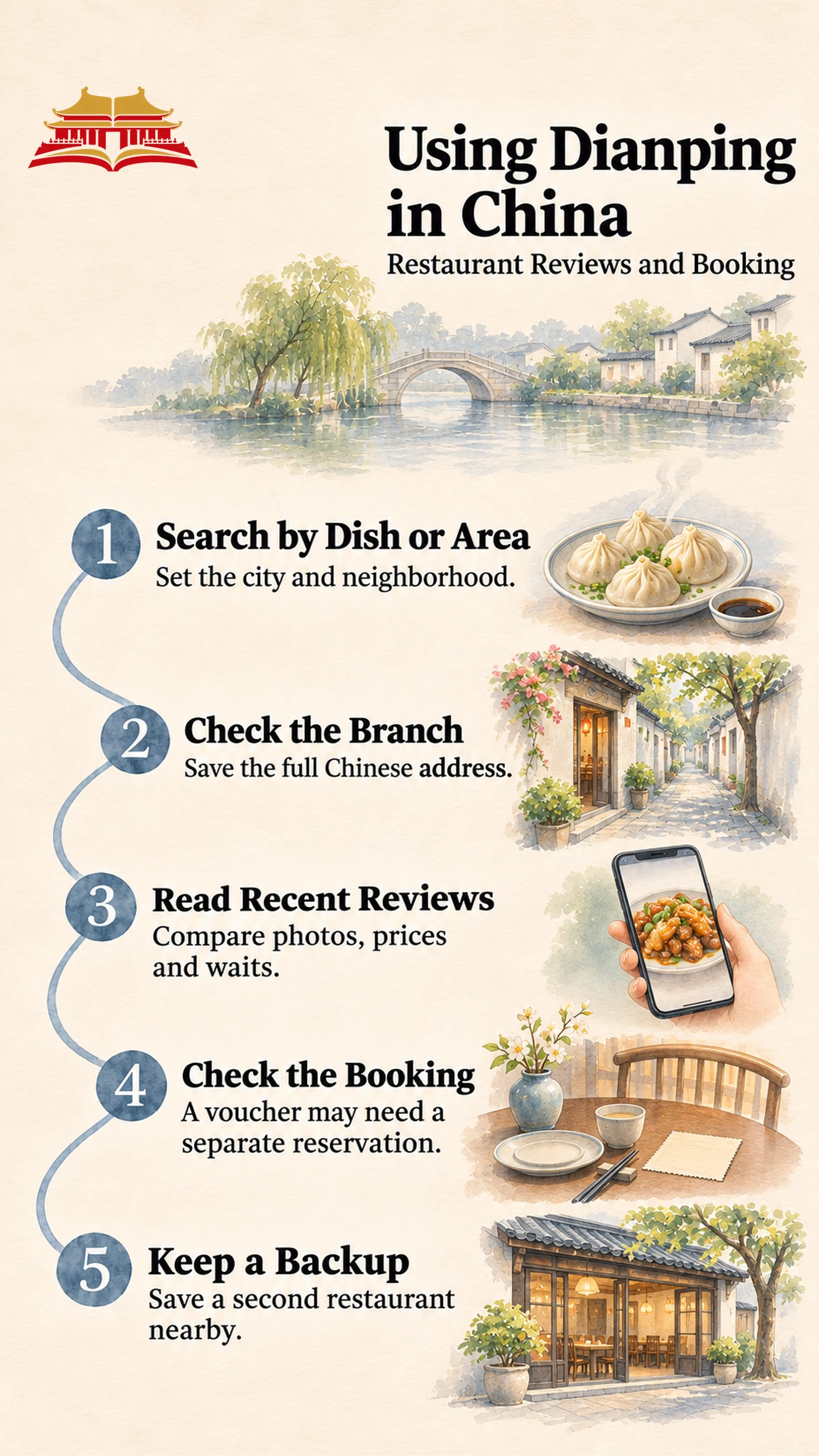
- Search by dish or area: Enter a Chinese dish name or neighborhood and narrow the results to the area where you can eat.
- Open the specific listing: Confirm the address and look at recent reviews for wait times, portion sizes and dishes guests actually ordered.
- Check before paying: A table booking, a place in line and a prepaid restaurant deal are separate actions. Check what you will receive before confirming.
Save the address and a backup restaurant if your evening depends on getting seated quickly.
A good Dianping result gives you enough information to decide where to eat and how to get there. The app’s listings combine merchant information with reviews and user photos. [1] Use them to create a shortlist, then check two details that ratings alone cannot tell you: which location the review describes and when you can be served.
How to Find the Right Restaurant on Dianping
- Choose the city. Set your destination city or search near a named neighborhood, landmark or station.
- Search in Chinese if needed. Paste the Chinese name of a dish or restaurant into the search field. Add the district if the results are spread far apart.
- Open the specific location. Compare the street, building and floor with your map. Search for the restaurant’s full Chinese name if the app lists several similar venues.
- Save one backup. Look for recent visits and current business hours at both restaurants. Save the full address and a menu photo in case you lose data on the way.
For example, type 小笼包 (xiǎolóngbāo, soup dumplings) with 静安 (Jìng’ān, Jing’an) if you want dumplings near that area of Shanghai. When a chain appears, confirm the branch (分店, fēndiàn) by comparing the full addresses, especially when the names differ only by their location suffix. Use the Shanghai food guide if you need ideas for what else to search.
How to Read Reviews, Photos and Prices
Start with recent visits to that location. Switch to recent reviews if the listing offers that sort. Compare at least one detailed review with a recent photo, because the first posts shown may be older or cover a different meal period. Look for repeated reports about the issue that matters to you. Lunch customers might describe a short wait while dinner reviews mention a long line. Pictures of the sign or building entrance can help you match the address if the restaurant is inside a mall. Older photos can still help identify dishes, but prices and opening days may have changed.
The average spend per person (人均, rénjūn) helps compare restaurants. Actual cost depends on your order, drinks, portion sizes and any listed minimum. Use a recent menu photo or the Chinese menu guide to check real prices or show staff what you want to order. If you need a dietary accommodation, ask staff directly and use the food allergy dining guide to communicate what you need.
Reservations, Queues and Group-Buy Vouchers
Read the action label and the confirmation. The platform’s terms describe merchant listings, discounts and booking-related services. [2] Availability depends on the merchant and the particular listing.
| Label | What it usually means | What to verify |
|---|---|---|
| Table reservation (订座, dìngzuò) | Request or confirm a table slot | Date, time, party size, contact method and whether it is confirmed |
| Queue (排队, páiduì) | Join a waiting list if the branch offers it | Where to check in, how you will be called and what happens if you are late |
| Group-buy voucher (团购, tuángòu) | Prepay for a set menu, credit or deal | Eligible location, dates, dining hours, party size, booking requirement and refund terms |
Before buying a voucher, look for the applicable branches and any days or times excluded. The hours on a voucher may be shorter than the restaurant’s opening hours. A deal that requires advance booking can still leave you with a separate task to reserve the table. Meituan’s merchant guidance treats a completed online reservation as its own process. [3] If voucher language is unclear, ask the restaurant before paying. You can show staff 这个套餐今天可以用吗? (“Can I use this set meal deal today?”). Use the restaurant reservations and queues guide when timing or party size matters.
At the restaurant, show staff the voucher and ask when it should be redeemed. Compare what is included with the menu before adding items you may be charged for separately. Keep the receipt until the purchase is settled.
What to Do If a Listing or Checkout Fails
If sign-in, translation or payment is difficult, copy the restaurant’s Chinese name and address into your map or show a saved listing to hotel staff. Ask the restaurant to confirm its opening time and table availability. You can also visit at a quieter time and order at the venue. The guide to ordering food in China includes phrases you can use once seated.
If you already paid for a voucher, check the order screen for its redemption status and refund terms before paying for the same set again. Keep the order number and ask the platform or restaurant how to resolve the issue. When neither the booking nor the payment can be verified, use your backup restaurant.
FAQs About Using Dianping in China
Can I use Dianping in English?
The iPhone listing includes English among the supported languages. Restaurant names, reviews, menu photos and deal details may still appear in Chinese. Save the Chinese text and translate the details you need.
Does buying a Dianping deal reserve a table?
Check both confirmations. A voucher records a purchase. A reserved table requires an accepted booking from the venue or the service it uses, with a confirmed time and party size.
Can I use Dianping just to look up a restaurant?
Yes. Use it to compare locations and get directions, then order and pay at the restaurant. If the app prompts you to sign in, try the merchant’s public listing or look up the address in a map.
Sources
[1] Apple App Store. Dianping official listing, languages and review features
[2] Meituan Rules Center. Dianping user service terms and voucher definitions
[3] Dianping Merchant Help Center. Online reservation and storefront notice guidance