

Quick Answer: How Can You Get Your Item Back?
Use the completed order to contact the driver or report a lost item to the booking platform. Provide a clear description and where it might be in the car. Keep the order number available if you need to follow up.
- Start with the account that booked the ride. Open that trip’s help or driver contact option. If a companion or hotel booked it, ask them to open the order.
- Record the details. Save the trip time, pickup and drop-off, car plate if shown and the item’s color, case or other identifying feature.
- Protect important belongings promptly. Secure a missing phone or payment card while you pursue the return. If your passport is missing and you need to travel soon, start getting replacement instructions.
Give the driver time to stop safely and check the vehicle between rides. Use the platform to arrange a return and confirm any proposed cost before agreeing to it. Keep the order and support reference even if you contact the driver directly.
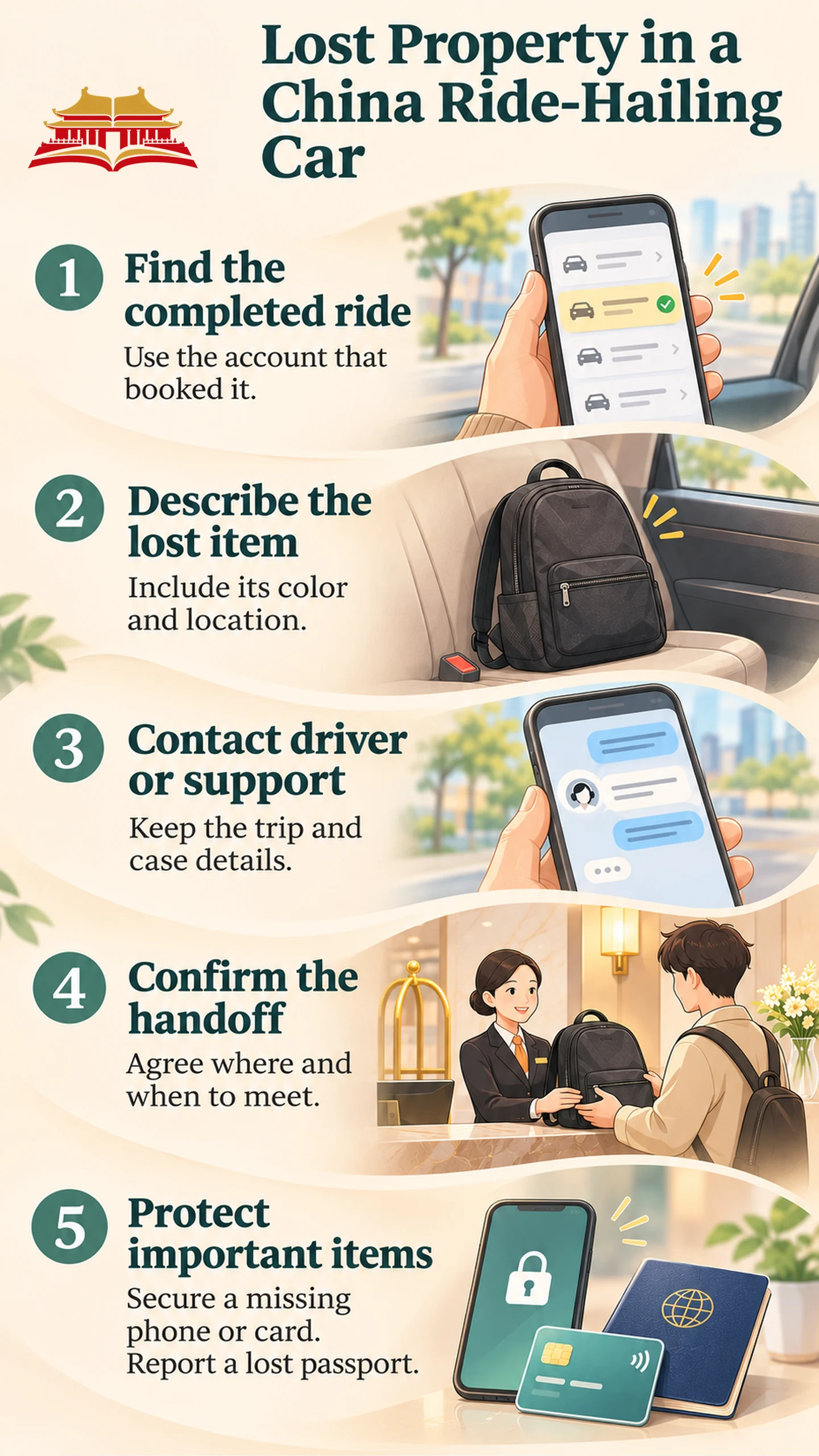
Open the completed order as soon as you realize something is missing. The trip time, route and vehicle details let the platform find the ride, and the driver can check the seat or trunk. If the lost item is your phone, ask the person who placed the order to report it, or use another device to reach official support.
Find the Right Order or Receipt
| How the ride was arranged | Where to look | What to collect |
|---|---|---|
| Direct ride-hailing app | Completed trips on the ordering account | Order number, time and plate if available |
| Ride booked through a payment app | Ride service’s trip history or help area | Service name, trip and receipt |
| Companion or hotel booked it | The booking account or hotel dispatch | Order or company name and a reachable contact |
| Street or rank taxi | Printed receipt, electronic invoice or payment record | Taxi company, vehicle, trip time and approximate route |
| No phone or order access | Another device and platform support | Booked number, trip details and payment evidence if needed |
Transport authorities advise using the ride order to contact a booked driver. For a street taxi, use the taxi company’s contact details, receipt or payment record to help identify the vehicle. See the China taxi guide for which details to retain after a metered ride.[1]
How to Report and Recover a Lost Item
- Open the exact trip. Match its time and destination. Save the order number, trip receipt and vehicle details shown. If you ordered through a mini program, start in the same booking service.
- Send a short description. Include the item type, a distinguishing detail and its likely location. For example, write “Hello, I left a black backpack in the back seat. Could you check when you have a chance?” In Chinese, you can show “您好,我把一个黑色背包落在后座了,方便时能帮我找一下吗?”
- Contact order support if needed. If you cannot reach the driver, use the help entry for that trip and ask support to relay the report. Jinan’s transport bureau describes support teams contacting the driver and providing a masked contact number in some cases. The timing and contact method depend on the platform and ride.[2]
- Agree how to get it back. Confirm the handoff location and timing in the order or support thread. If a driver offers a delivery or asks for travel costs, check the platform’s rules and confirm the amount before agreeing. Use a public meeting point or a staffed hotel desk where feasible.
- Keep the record until the item is returned. Save the support reference and messages. If the handoff changes, use the official channel to confirm the new arrangement. After collection, check the contents and update support if the case is still open.
If Your Phone, Passport or Wallet Is Missing
If the phone was used to order the ride, use another device or ask a companion or hotel desk to help contact support. For mainland DiDi rides, the company’s contact page lists passenger service at 400 0000 999. Give the booking phone number and relevant trip details. If you had already enabled device recovery, use Apple’s Find My or Google’s Find Hub from another device to mark the phone as lost where available. Keep passwords and verification codes private. The lost phone guide covers restoring access to your accounts.[3][4][5]
For a lost passport, contact your consulate and the local authorities for instructions if you cannot promptly recover it, especially if you have an onward flight. Use the lost passport guide to find the next document steps. If your wallet is missing, use the lost bank card guide to secure cards before waiting for a callback.
When You Cannot Identify the Car
Look through the payment history for the ride time and merchant or taxi operator. Ask a companion, hotel desk or business that arranged the ride for dispatch details. Give official support the approximate time, both locations and an item description. If asked for payment evidence, send only the details needed to identify the trip. For a street taxi, a receipt or booking record is especially useful.[1]
FAQs About Lost Items in China Ride-Hailing Cars
Can I report the loss without my original phone?
Yes, you can ask the ordering account holder to open the completed trip or contact passenger support from another device. Give the order number if you have it, or the phone number used to book and the trip details for verification.[2][3]
What should I do if the driver asks for a delivery fee?
Ask the operator how return costs are handled and confirm the amount and handoff before agreeing. Keep the arrangement in the support thread. Your account password or verification codes are unnecessary to arrange a return.
Can I report a lost item in an app-booked taxi?
Start in the app or service that created the order. If you used a rank or hailed the taxi without an order, contact its operator using the receipt, payment record or vehicle information.[1]
Sources
[1] Nan’an Municipal Transport Bureau. How to report lost items in booked rides and street taxis
[2] Jinan Municipal Transport Bureau. Ride-hailing lost property support and driver contact
[3] DiDi. Mainland passenger support contacts
[4] Apple Support. Find and mark a missing iPhone or iPad as lost
[5] Google Account Help. Find, secure or erase a lost Android device